Fallbakit Platform
Platform Walkthrough
How the dashboard, API, tunnel, providers, and usage views fit together.
Request flow
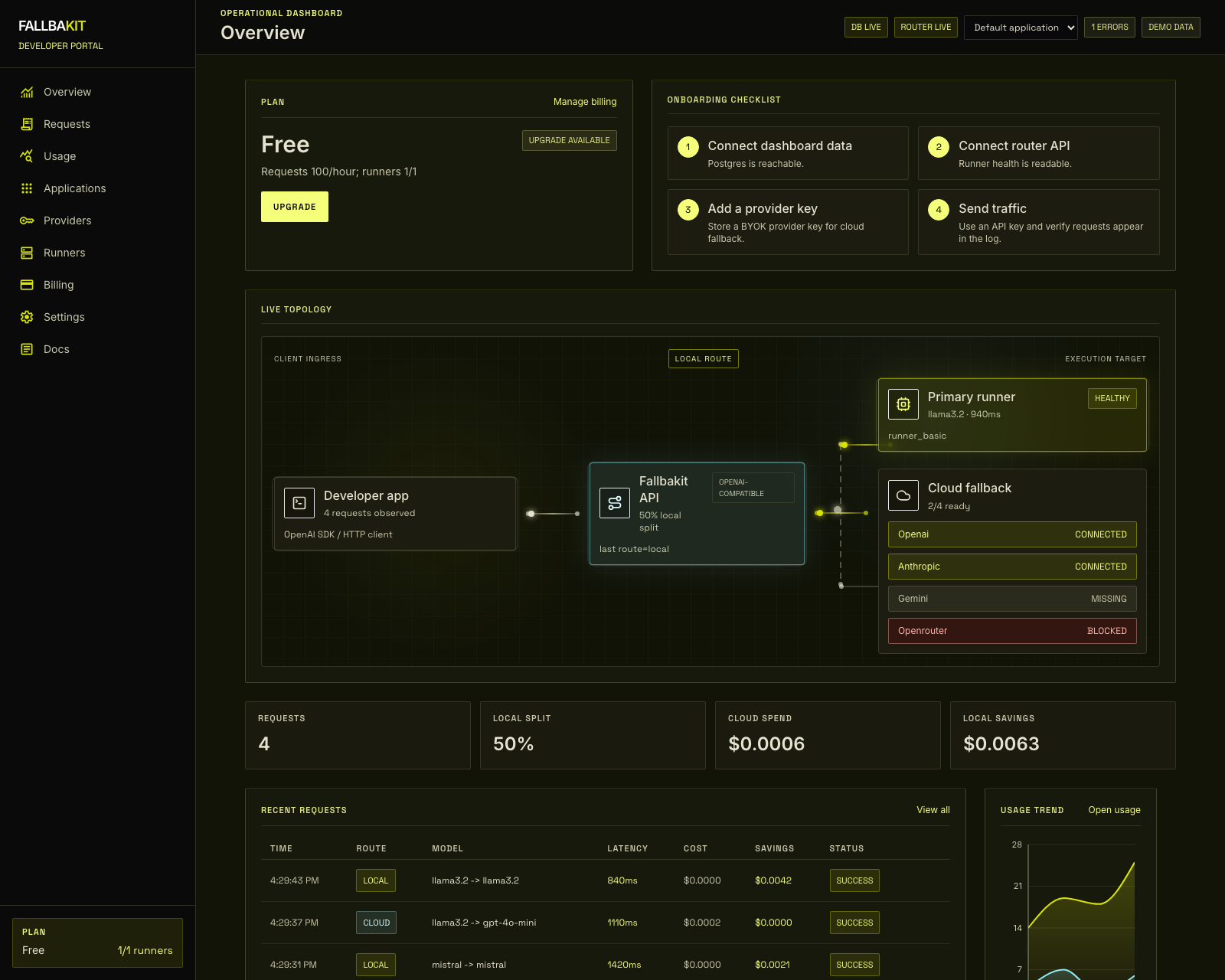
Your application sends OpenAI-compatible chat requests to https://api.fallbakit.com. Fallbakit authenticates the application API key, checks the application's allowlist, and routes to the connected local Ollama, oMLX, or vLLM runtime by default.
If local inference is offline, slow, or explicitly bypassed, Fallbakit can use the configured cloud provider for that application.
Dashboard areas
- Overview shows request health, topology, recent traffic, and local/cloud split.
- Applications is where you create applications, API keys, allowed domains or IPs, and encrypted fallback credentials.
- Runners shows customer-side tunnel connections and local runtime health.
- Requests lists recent route decisions and errors.
- Usage summarizes traffic, latency, estimated cost, and local savings.
- Billing shows plan limits and upgrade paths.
Local-first controls
Requests may include Fallbakit controls in the request body:
{
  "model": "llama3.2",
  "messages": [{ "role": "user", "content": "Hello" }],
  "fallbakit": {
    "fallbackProvider": "openai",
    "fallbackModel": "gpt-4o-mini",
    "cloudModelOnly": false,
    "localModelOnly": false,
    "fallback": true,
    "forceLocal": false
  }
}
SDKs expose those fields through extra_body or first-class options while returning OpenAI-compatible JSON.