
Applications
Manage product surfaces, integration snippets, fallback credentials, API keys, and allowlists in one place.
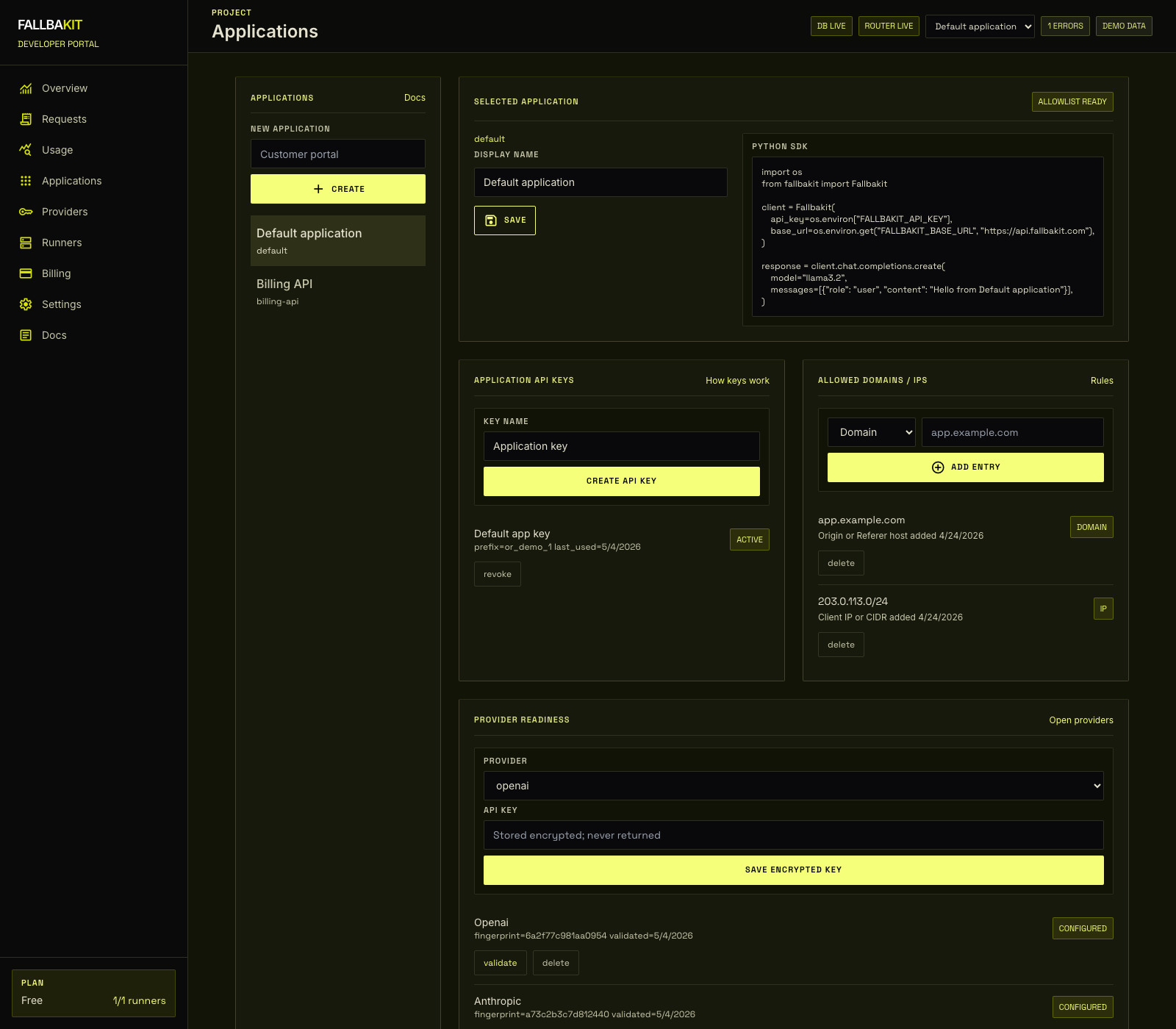
Applications isolate configuration for each product surface that calls Fallbakit. Each application has its own API keys, provider credentials, and allowed domains or IPs.
Create an application
Open Dashboard -> Applications, enter a name, and create the application. Select it from the list to manage its details.
Rename an application
Use the selected application panel to update the display name. The application ID remains stable so existing keys and logs keep working.
Integration snippets
The Applications page includes a copyable SDK snippet for the selected application. The snippet shows the recommended pattern: keep secrets in your own environment, pass them explicitly to the SDK, and send chat requests to https://api.fallbakit.com.
Fallback credentials
Provider keys are application-scoped. If one application should fall back to OpenAI and another to Gemini, configure those credentials separately from each selected application.